Match Displays
The typical display flow within a match, from pre-match to post-match.
Video Only
For details see the specialty tab
Match Preview

The Match Preview screen displays team names and rankings for the teams scheduled to compete in the next match. The Match Preview is a mandatory screen in the FCUI process and can even be selected again once the “Show Match Score Bar” button has been pressed until the Match is started.
[Left] Qualification Matches - Team rankings are displayed next to their team name and avatar
[Middle] Playoff Matches Rounds 1-4 - Alliance affiiation information is added to the display, alongside bracket progression tracking
[Right] Playoff Matches Round 5 (Finals) - The bracket progression tracking is replaced with “first to 2” progression
Video and Score
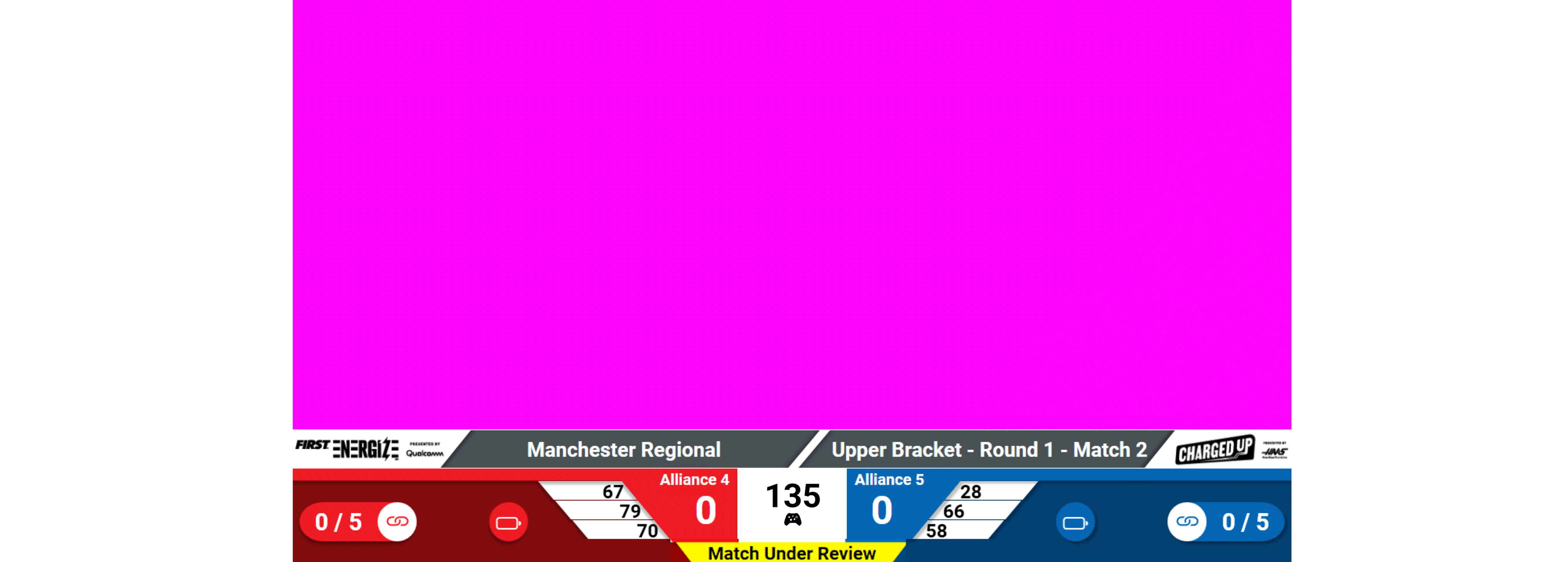
In Playoff matches, the Alliance number is displayed alongside the team numbers. The white box between the alliance scores will display the time remaining in the match and match phase (auto or teleop).
Traditionally, the Video and Score will have a space for chroma to add video or production data. If set to Rankings (see Settings) the chroma portion of the screen will be replaced with current rankings or, in the case of the Playoff tournament, the bracket.
Match Result
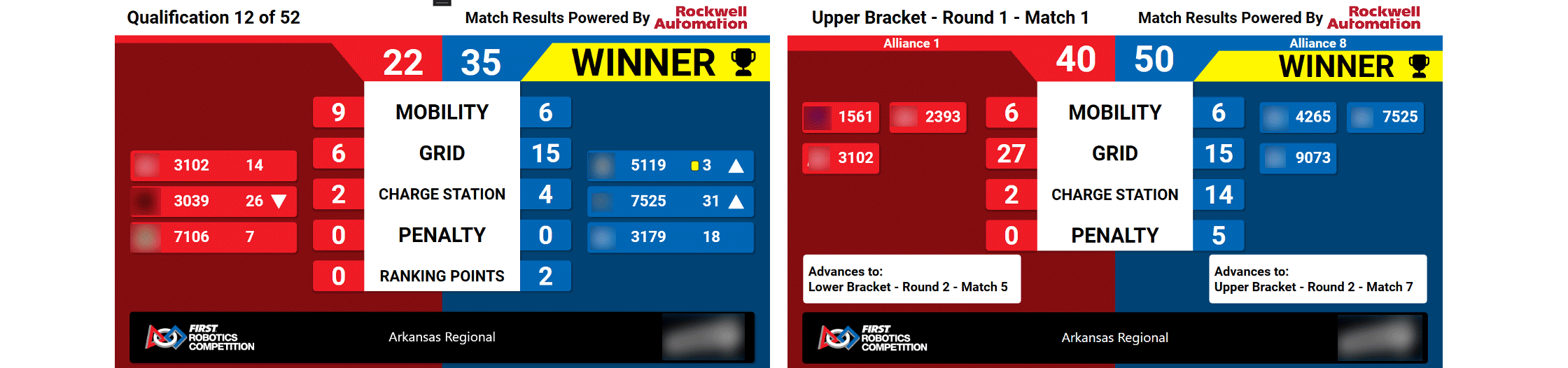
Match results is used to show the audience the final scores of the match they just witnessed. Team numbers, yellow/red cards, new rankings and more are shown. Also shown are the scoring details for the match and the match outcome (which alliance is victorious).
[Left] Qualification Matches - Ranking point icons are also shown to indicate the number of RPs awarded
[Middle] Playoff Matches Rounds 1-4 - Alliance number is shown in the background on the red and blue sides, and where in the bracket the alliance is headed (based on the outcome) is in the box under the team numbers
[Right] Playoff Matches Round 5 (Finals) - The number of wins is shown under the team numbers
An EVENT HIGH SCORE indicator if one or both of the teams broke the previous high score for the tournament (this is event specific, and checks both qual and playoff matches).
When the “Post Result” button is pressed to bring up this display, a short audio clip and video are played before the results are revealed.